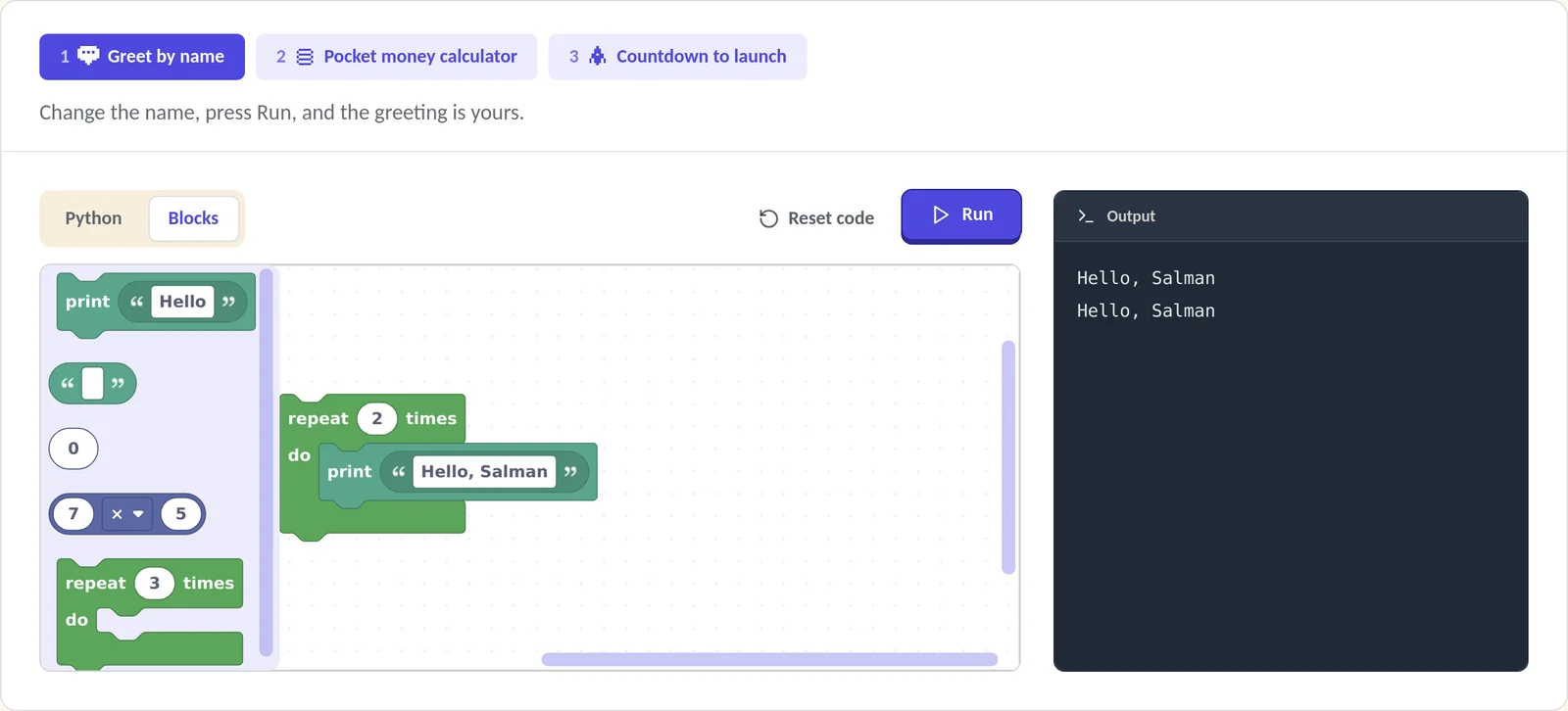
No typing to fight with and nothing to memorise. The student snaps blocks together, sees the result at once, and learns the ideas every program is made of. The level ends with an app they build themselves: Robo's Smart Farm.
This is the Coding Dojo, where the student writes their block code. They snap the blocks together, press Run, and the result appears beside them at once.
What Foundation 1 gives a student
Thinking in clear stepsA big problem becomes small steps in the right order. It is the habit behind every program, and it helps in maths, in writing and in planning anything.
From using technology to making itThe student stops being only a user. They learn what a computer really does with what it is given, and start telling it what to do.
Patience with mistakesA program that does not work is a puzzle, not a failure. The student learns to read what happened, find the wrong step and fix it.
Something of their own to showThe level ends with a working project the student built and can present to family and friends.
The level at a glance
7 to 11AgesNo coding experience is needed.
9Big ideas of programmingFrom what code is to a finished project.
1App they build themselvesRobo's Smart Farm, the capstone of the level.
Where they learn
Every tool in this level uses blocks, so the student thinks about the idea and not about spelling.
Coding DojoWhere the student writes block code. Each block is a command, blocks snap together into a program, and the result shows on the spot. Its challenges are sorted by idea for practice between sessions.
Minecraft EducationA world they already know. Their code builds, moves and changes things inside it.
Young InnovatorOur block studio on the CodeSaudi Platform, where the student solves tasks with Robo and builds the Smart Farm.
Nine ideas, stage by stage
Each stage adds an idea and puts it to work at once, until the student uses all of them together.
1Code is a languageHow people talk to a computer, and a first program that moves Robo.
2How a computer worksInput, processing and output: what goes in, what the computer does with it, and what comes out.
3Algorithms and orderClear steps in the right order. A computer never guesses a missing step.
4LoopsRepeating without rewriting: one loop plants a whole row of palms.
5Conditions and variablesThe program decides and remembers: water only the dry palm, and count the harvest.
6Events, debugging and the capstoneReact to a storm, find and fix a broken program, then run a full season on Robo's Smart Farm.